
Setting up print files may seem daunting, especially if you’re new to the process. However, with a few key guidelines, you can ensure that your designs come out looking professional and polished. In this guide, we’ll cover everything you need to know to set up print files correctly, from adding bleed to choosing the right file format.
1. CMYK Color Mode
For print projects, it’s essential to work in the CMYK color mode rather than RGB. CMYK is the color model used for four-color process printing, which is the standard for most commercial printers. By designing in CMYK, you’ll ensure that the colors in your print files accurately reflect what you see on your screen.
2. DPI/Resolution
Resolution refers to the amount of detail in an image, typically measured in dots per inch (DPI). For print projects, aim for a resolution of at least 300 DPI to ensure crisp and clear images. Low-resolution images may appear pixelated or blurry when printed.
3. Proper Sizing
Ensure that your document is set to the correct dimensions for the desired print size. Whether you’re designing a business card, flyer, or poster, always work with the final print dimensions in mind to avoid any resizing or distortion during the printing process.
4. Adding Bleed
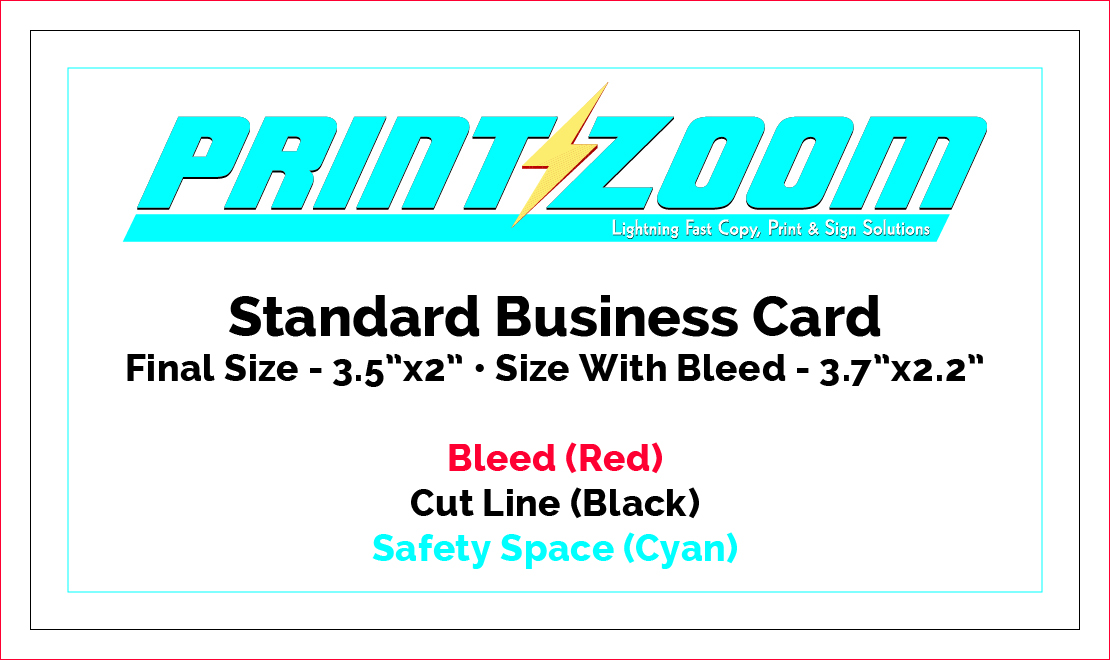
Bleed is crucial for ensuring that your design extends all the way to the edge of the printed page without leaving any white borders. When setting up your document, make sure to extend your design elements beyond the trim edge by at least 0.125 inches on all sides.
5. Exporting as PDF
When you’re ready to send your print files to the printer, export them as PDFs. PDF (Portable Document Format) is a universal file format that preserves your design layout and ensures compatibility across different software and platforms.
Things to Consider Before You Start Designing:
Finishings
If your print project requires special finishings such as fold lines or grommets, be sure to incorporate these elements into your design and communicate them clearly to your printer.
Margins & Safety Gutters
Leave sufficient space between your design elements and the trim edge to prevent any important content from being cut off during the trimming process. Safety gutters ensure that text and other critical elements remain intact.
Text Size / Readability
Pay attention to the size and readability of your text, especially if it will be viewed at a distance. Choose fonts and font sizes that are legible and appropriate for the intended audience.
In this guide, we’ve covered the essential tips and considerations for setting up print files, ensuring your designs look professional and polished. Every printing facility has their own specifications on setting up files for print, so be sure to ask your print partner about their requirements before submitting your files. To further assist you, we’ve included a free pdf business card template for our print shop. Stay tuned as we’ll be releasing more how-to guides and templates soon. Don’t forget to subscribe to our email newsletter to stay up-to-date on our latest deals and blog updates. With these resources and our expert advice, you’ll be well-equipped to create stunning printed materials with ease.